FUtureTOdayDigitalIntelligence
Futodi builds and ships its own software.
Apps for the Mac, iPhone and the web, and AI assistants for companies. Five products, designed, built and run in-house.
01 Products
Our products.
Most of them started as tools we needed ourselves. The statuses are honest: what is out, what is in review, what is still being built.
| Product | What it does | Platform | Status | Built with |
|---|---|---|---|---|
| Zan | Voice to text and one-key text rewrites from the macOS menu bar. Types at the cursor, in any app. | macOS | Open source · v0.1.1 | Swift, OpenAI / Anthropic API |
| TimeTrophy | A morning-routine timer for kids: get dressed before the coloured wedge runs out, earn points and stickers. Works offline and collects no data. | iPhone, iPad | In App Store review | React, Capacitor, iOS |
| HealthOS | One dashboard for lab results, sleep and training trends: readiness scores and a history for every lab marker. | Web, iOS | In development | Next.js, TypeScript, SwiftUI |
| Learn Popup | Bite-size learning cards that pop up while you work, with spaced repetition and import from AI. | macOS, Windows | In development | Electron, JavaScript |
| AI assistants | A website assistant for customers and an employee assistant for staff. Both answer only from a company’s own pages and documents, with an admin panel, sources and cost controls. | Web | Working demos | Claude, Cloudflare Workers, D1, Workers AI |
futodi.com runs on Cloudflare Pages. The assistants run on Cloudflare Workers, with D1 for data and Workers AI for search.
02 AI assistants
Assistants that answer from what a company already knows.
Two assistants, one admin panel. The website assistant talks to customers, the employee assistant helps staff. Both answer only from the company’s own pages and documents.
Open a row for details
01 Website assistant Answers your customers on your website at any hour, from your own pages and the answers you approved. Every answer links to its source.
What it does
- Answers about your services, prices and rules
- Links each answer to the page it came from
- Says plainly when it does not know, and gives your phone or email
- Speaks Lithuanian and English
You get
A chat window on your site, in your colours, added with a short snippet of code.
Built on
Claude, Cloudflare Workers, D1, Workers AI search over your own pages
02 Employee assistant Answers the “how do I” questions your staff ask every day, from your own instructions, with the steps and the screenshots.
What it does
- Step-by-step answers from your manuals and instruction documents
- The right screenshot next to each step
- Sign-in with your company Microsoft account
- A list of questions your instructions do not cover yet
You get
Fewer repeat questions to HR, IT and team leads, and new people who find answers on their own.
Built on
Claude, Cloudflare Workers, Microsoft sign-in through Cloudflare Access (planned)
03 Admin panel One place where your team reads every conversation, sees how each answer was made, and fixes it.
What it does
- Every conversation, with the sources behind each answer
- Corrections that work from the next message
- Unanswered questions collected into a to-do list
- An off switch
You get
You decide what the assistant says, and you do not need a developer for it.
Built on
Included with both assistants
04 Data and cost controls Personal data masked before it reaches the model, a daily spending limit, and access only for the people you choose.
What it does
- Personal codes, IBANs and card numbers masked
- A daily spending limit you set
- The employee assistant open only to your staff
- A daily summary of what was asked and what failed
You get
Clear answers for your data protection officer: what is stored, where and for how long.
Built on
Cloudflare, Anthropic API, data processing agreement
03 Up close
The assistants, up close.
Screens and details from the assistants, shown in made-up brands. Each one takes on its company’s colours and tone. The rules underneath stay the same.
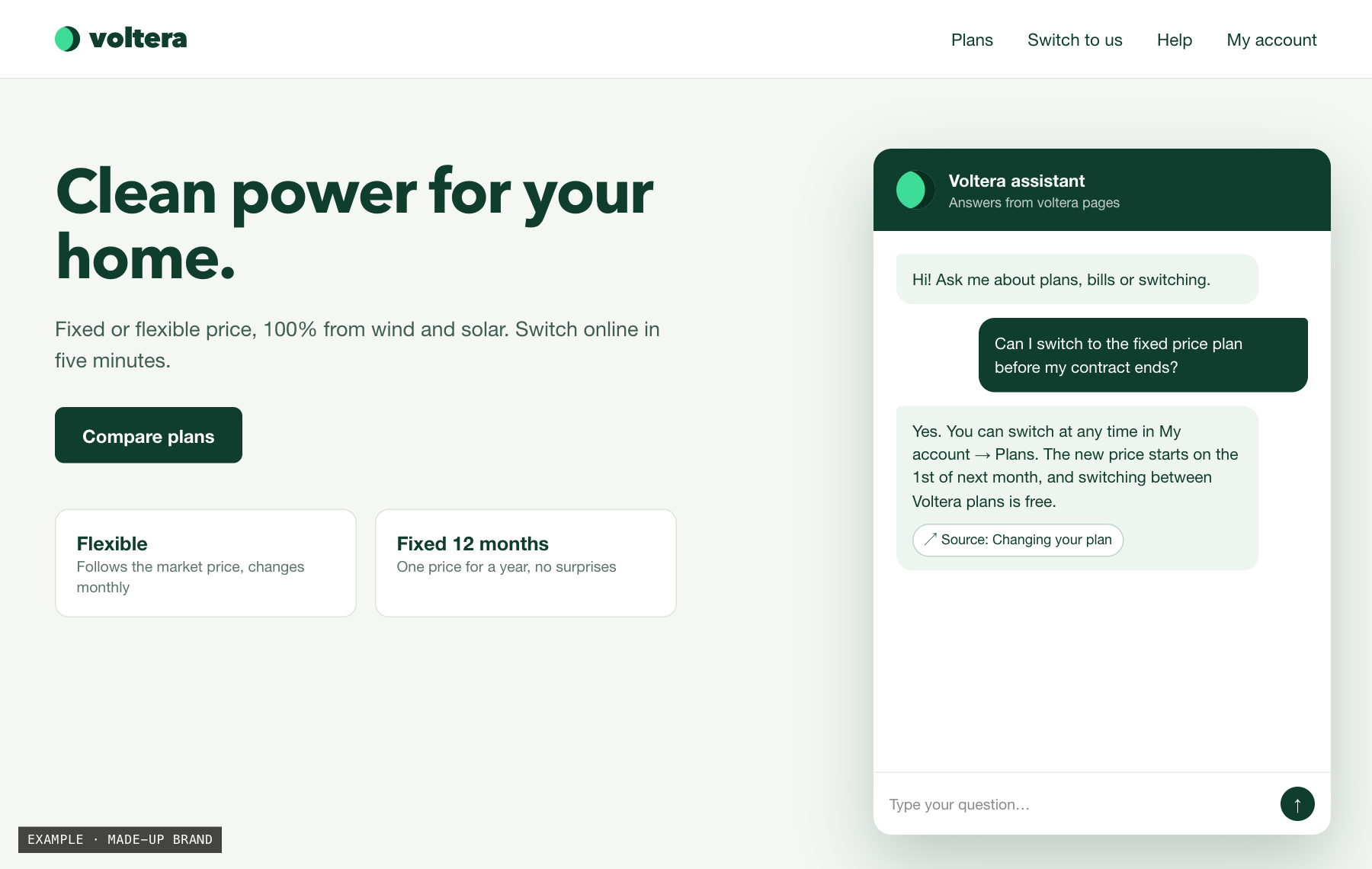
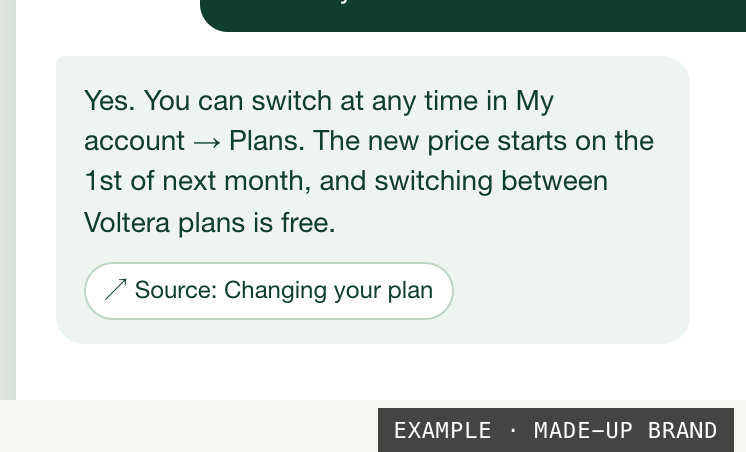
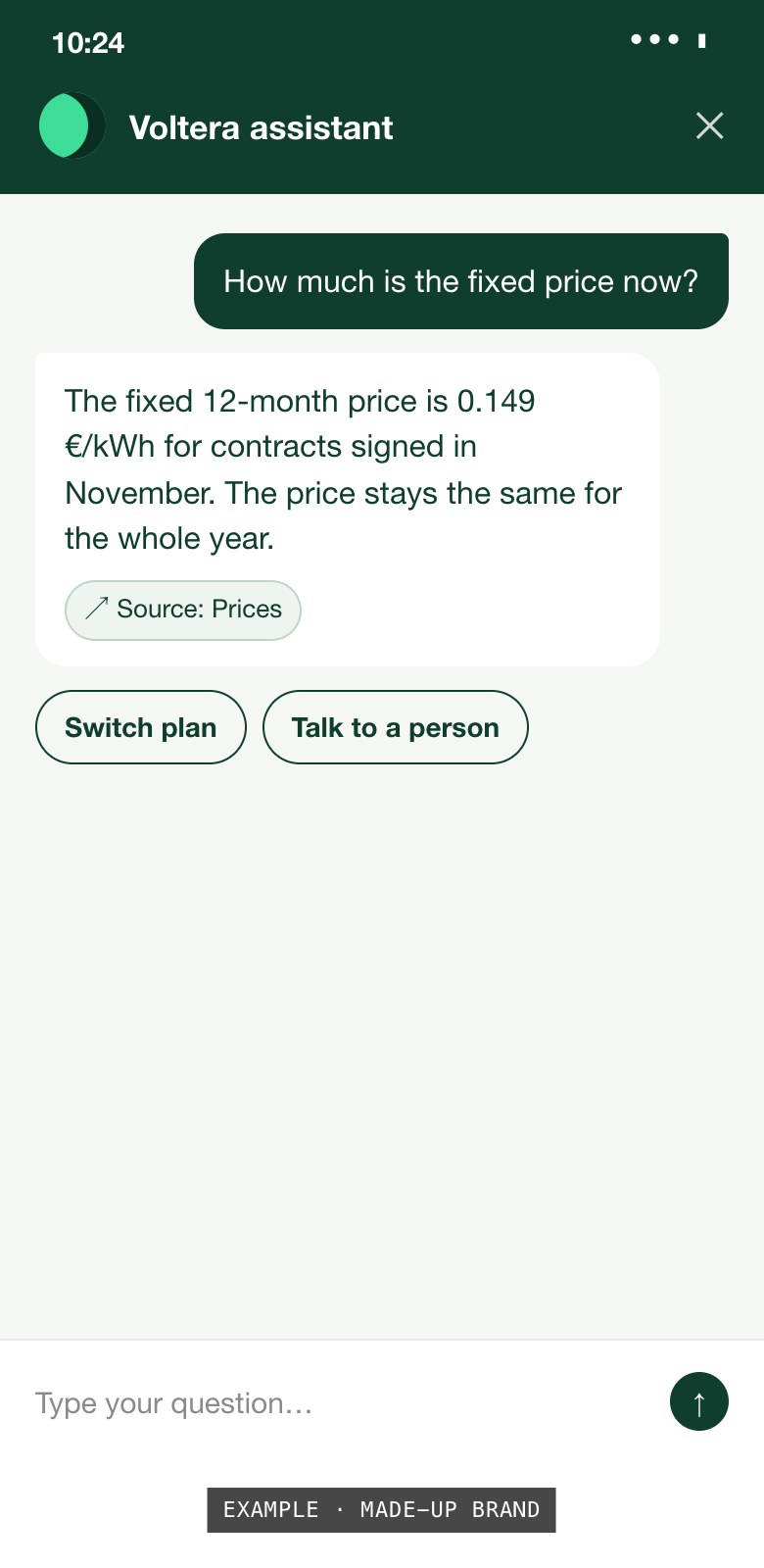
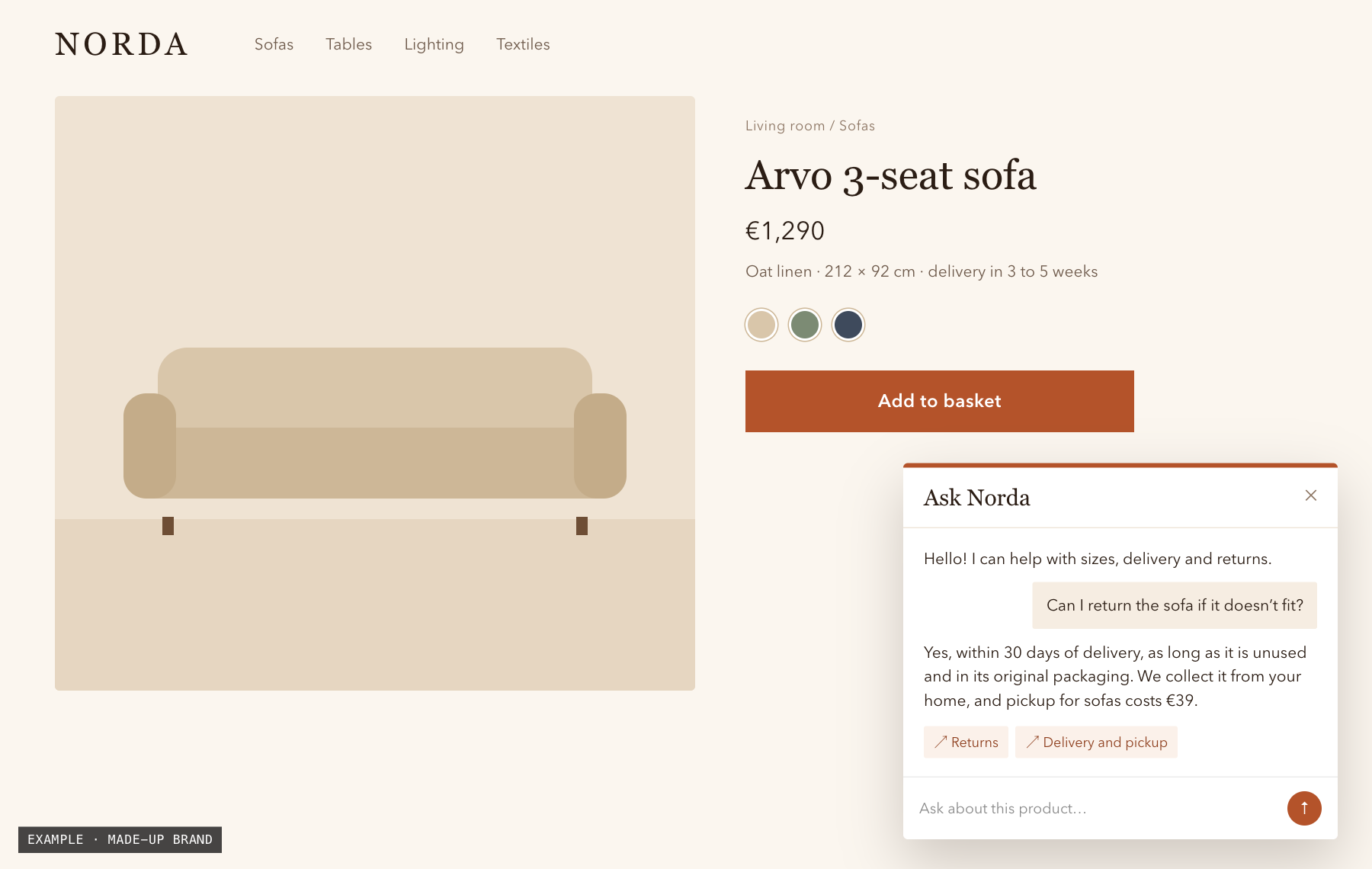
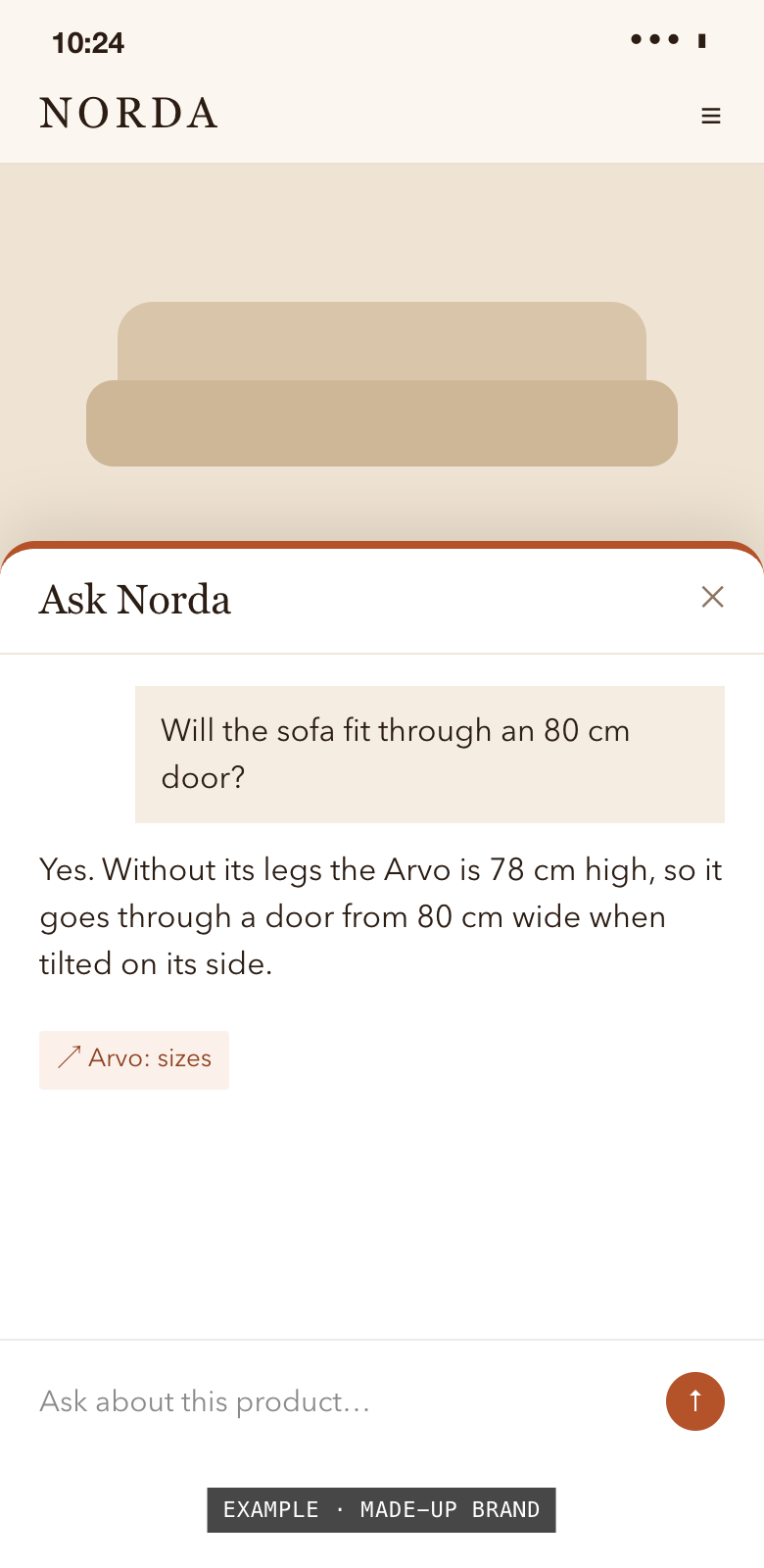
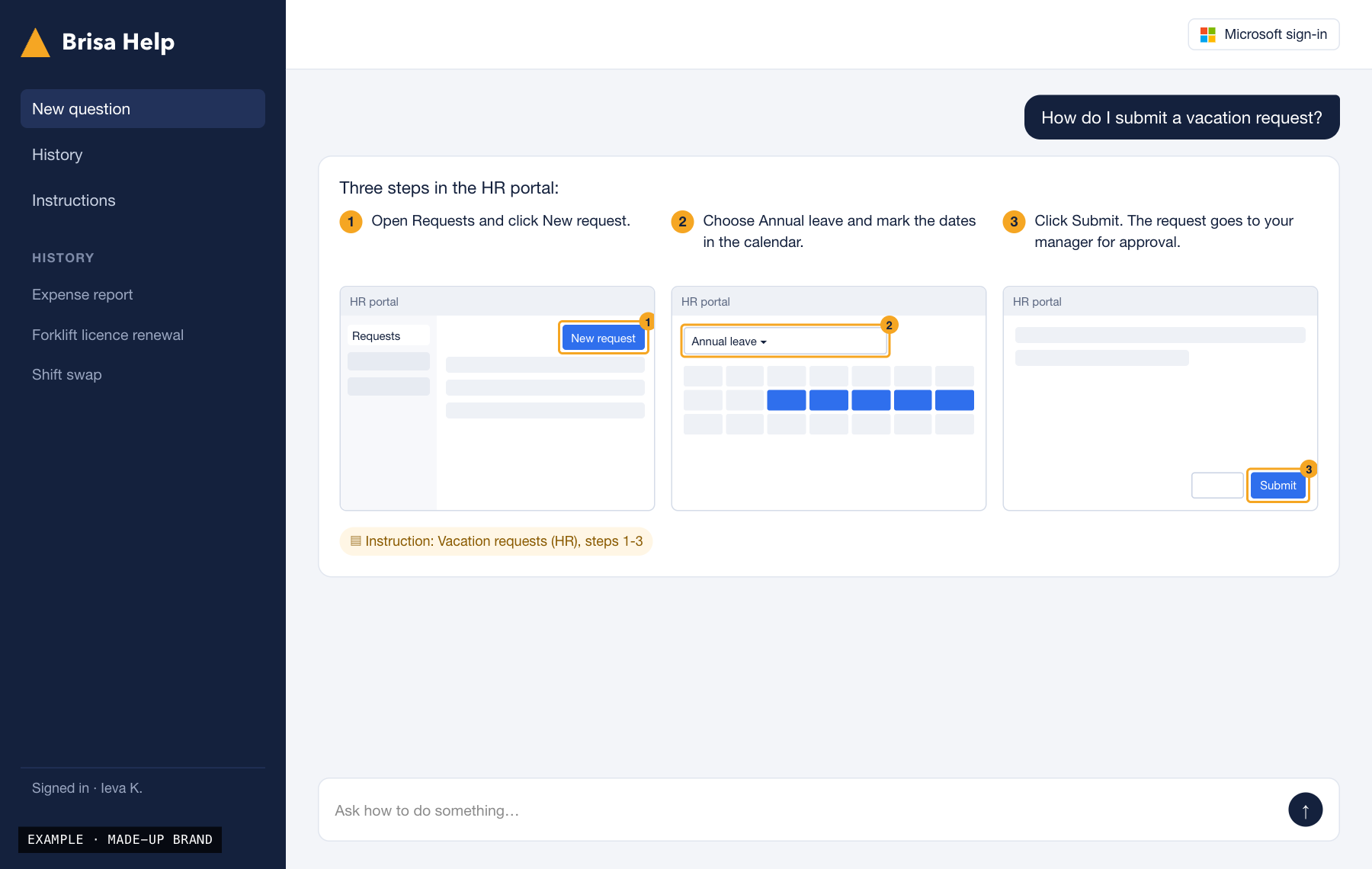
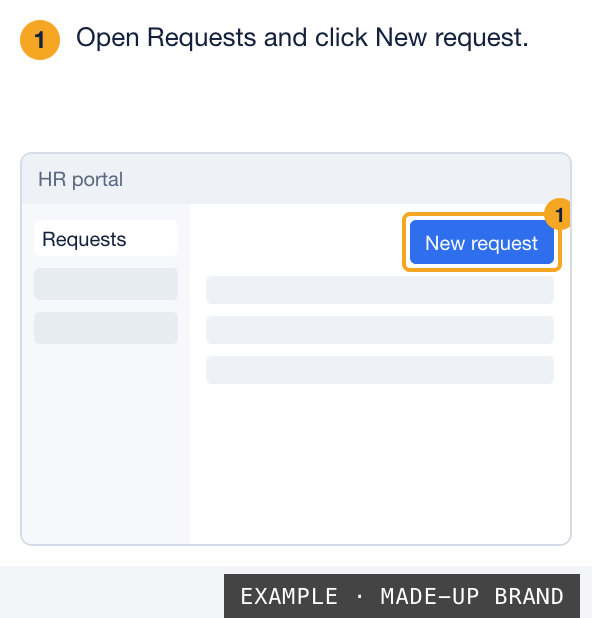
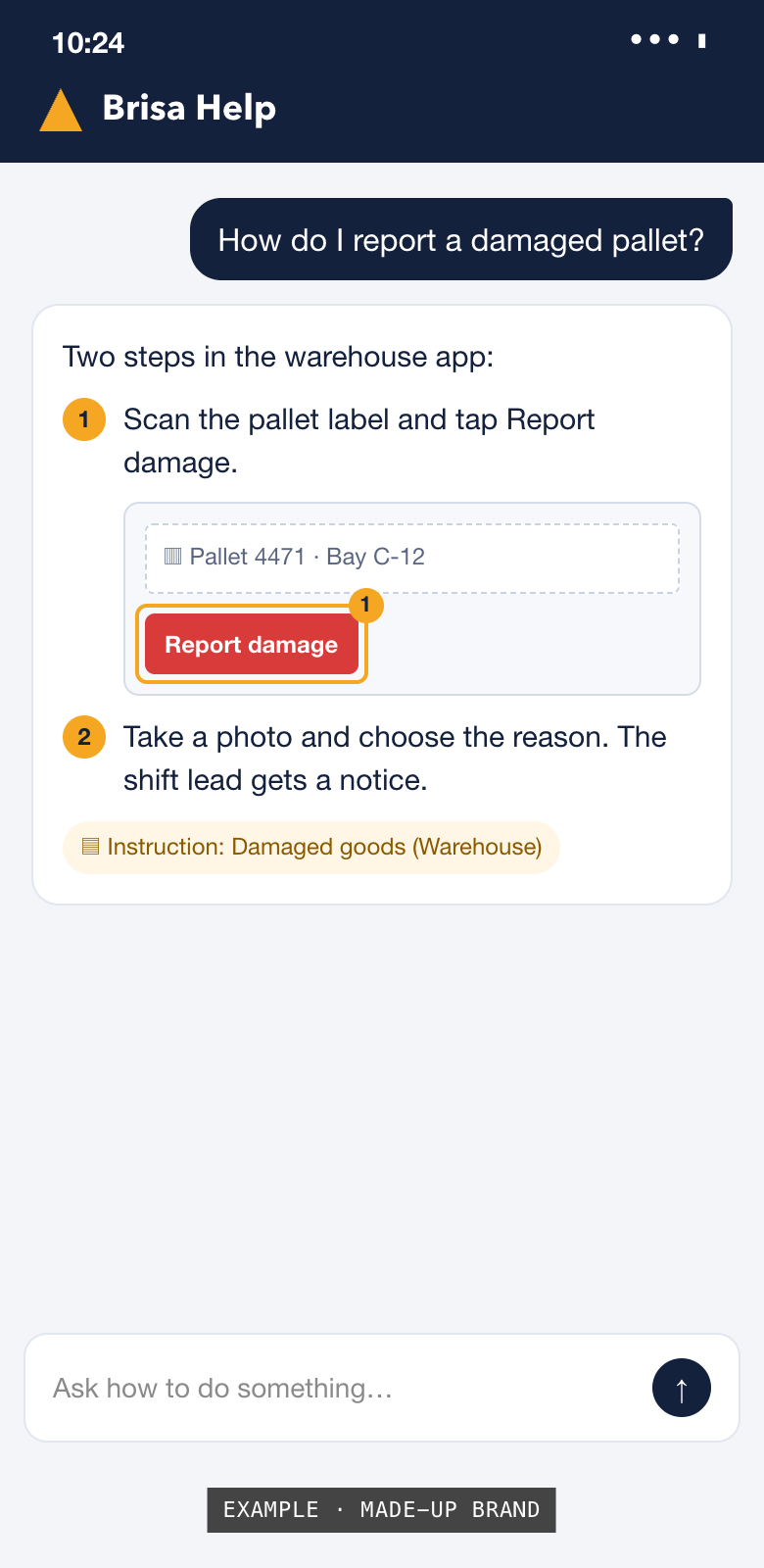
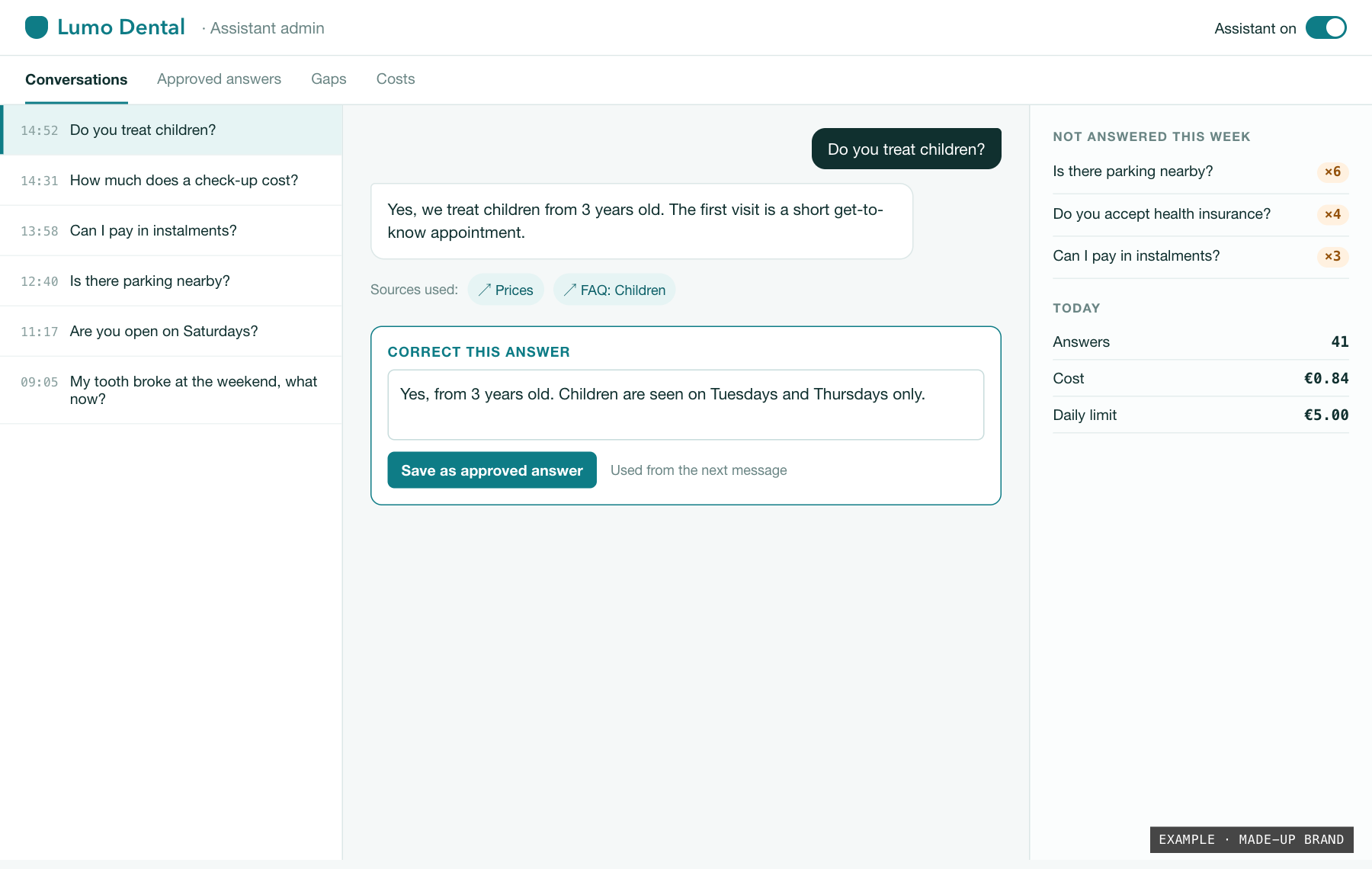
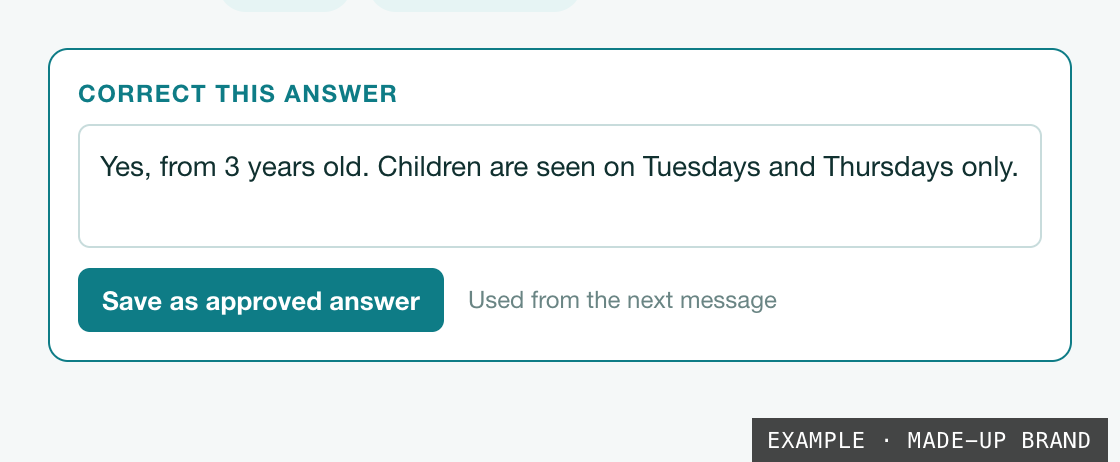
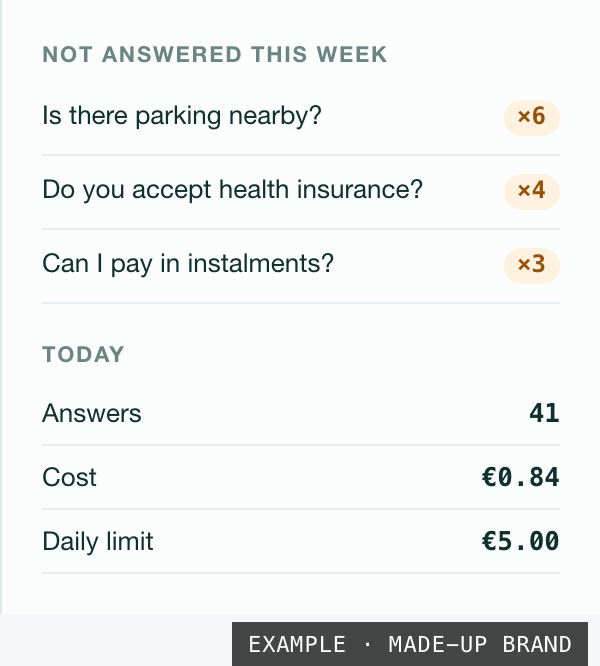
Made-up brands and example data. Open an image to see it full size.
04 Compare
Which assistant fits.
You can start with one and add the other later. The admin panel and the rules stay the same.
| Website assistant | Employee assistant | |
|---|---|---|
| Who asks | Customers and website visitors | Your employees |
| Where | A chat window on your website | Behind your company sign-in |
| Answers from | Your public pages and approved answers | Your instructions, manuals and internal documents |
| Shows | A link to the source page | The steps, with screenshots |
| Sign-in | None for visitors | Company Microsoft account |
| Typical questions | “What does it cost?” “How do I change my plan?” | “How do I request leave?” “Where is the expense form?” |
05 Getting started
From a demo on your content to a live assistant.
You see real answers to your own questions before you decide anything.
-
01
Your content
Send a link to your website or a few instruction documents. That is all the assistant will answer from.
-
02
Demo
You get the assistant on your own content, marked as a demo and kept off your live site. Ask it what your customers or staff really ask.
-
03
Switch it on
We set up sign-in, languages, masking and the daily spending limit with you, then add the assistant to your site or internal tools.
-
04
Improve it yourself
We host and update it. Your team reads conversations and fixes answers in the admin panel, without waiting for us.
06 Assistant rules
What the assistant does, and what it never does.
- Asks before it acts
- Anything that books, sends, pays or changes data can wait for a person’s OK. You decide which actions run on their own.
- Only from your sources
- The assistant does not answer from the model’s general knowledge. If your pages and documents do not cover a question, it says so and tells people who to contact.
- Every answer has a source
- The website assistant links to the page. The employee assistant shows the step of the instruction and its screenshot.
- You see everything
- Every conversation is in the admin panel, together with the passages the answer was built from.
- Fixes work at once
- A corrected answer becomes an approved answer and is used from the next message.
- Costs you can predict
- A daily spending limit, and a report of what the answers cost each day.
- GDPR from day one
- Masking personal data, a retention period agreed with you, a privacy policy and a data processing agreement are part of the launch, not a patch at the end.
07 Roadmap
Next for the assistants: actions.
Today the assistants answer. Next they act: working in a company’s systems, reading documents and running on a schedule. Pick one and watch an example run.
A visitor writes: “Can I get a check-up next week, preferably in the morning?”
- 00:00.4ClaudeUnderstands the request: check-up, next week, before 12:00.
- 00:01.1SystemReads the free slots in the clinic calendar.
- 00:01.9ClaudeOffers three slots: Tue 09:00, Wed 10:30, Fri 08:30.
- 00:24.0VisitorThe visitor picks Wed 10:30 and leaves a name and email.
- 00:25.2SystemBooks the slot and writes the visit into the calendar.
- 00:25.8SendsSends a confirmation email with the address and a cancel link.
Booked without a phone call. Reception sees it in the calendar.
“Where is my order 10482?”
- 00:00.4ClaudeAsks for the email used at checkout, to make sure it is the buyer.
- 00:09.0VisitorThe visitor enters the email.
- 00:09.7SystemFinds order 10482 in the shop system: paid, shipped on Monday.
- 00:10.5SystemChecks the courier tracking: at the local depot.
- 00:11.2ClaudeAnswers: delivery expected tomorrow, with the tracking link.
One less “where is my parcel” email for the team.
A customer is unhappy with a repair and asks for a refund.
- 00:00.5ClaudeSees that refunds need a person: no approved answer covers this case.
- 00:01.3ClaudeWrites a short summary: who, what happened, what the customer wants.
- 00:02.0SystemCreates a ticket in the helpdesk with the summary and the whole conversation.
- 00:02.6ClaudeTells the customer that a person will reply within one working day.
The person on duty starts with the full story, not a blank page.
A supplier’s PDF invoice arrives in the invoices inbox.
- 00:00.8ReadsReads the PDF: supplier, invoice number, amount, VAT, due date.
- 00:01.6SystemFinds the matching purchase order.
- 00:02.1ClaudeNotices the amount is €120 higher than the order.
- 00:02.9SystemCreates a draft entry in the accounting system, marked for review.
- 00:03.2ApprovalAsks the accountant to confirm the difference before payment.
Nobody retypes invoices. Mismatches are caught before the money leaves.
Every Monday at 08:00.
- 00:00.6ReadsReads last week’s conversations from the admin panel.
- 00:04.1ClaudeGroups the unanswered questions by topic and counts them.
- 00:07.5ClaudeDrafts new approved answers for the three biggest gaps.
- 00:08.2SendsPosts the report to the team channel.
- 00:08.3ApprovalThe drafts go live only after someone approves them.
The assistant gets better every week, and the team only reviews.
Forty new emails in the support inbox overnight.
- 00:01.0ReadsReads each email and sorts it: question, complaint, invoice, spam.
- 00:12.4ClaudeWrites reply drafts from your approved answers, in the customer’s language.
- 00:13.0SystemPuts each draft in the inbox, next to its email.
- 00:13.1ApprovalA person reads, edits if needed, and presses Send.
The morning starts with answers ready to check, not an empty reply box.
Planned, not shipped yet. Example runs with made-up data. Times are seconds from the start.
08 Contact
Ask about a product.
Questions about Zan, TimeTrophy, HealthOS or Learn Popup, or a demo of the assistants on your own content: a few sentences are enough. We usually reply within two working days.
We work in Lithuanian and English.